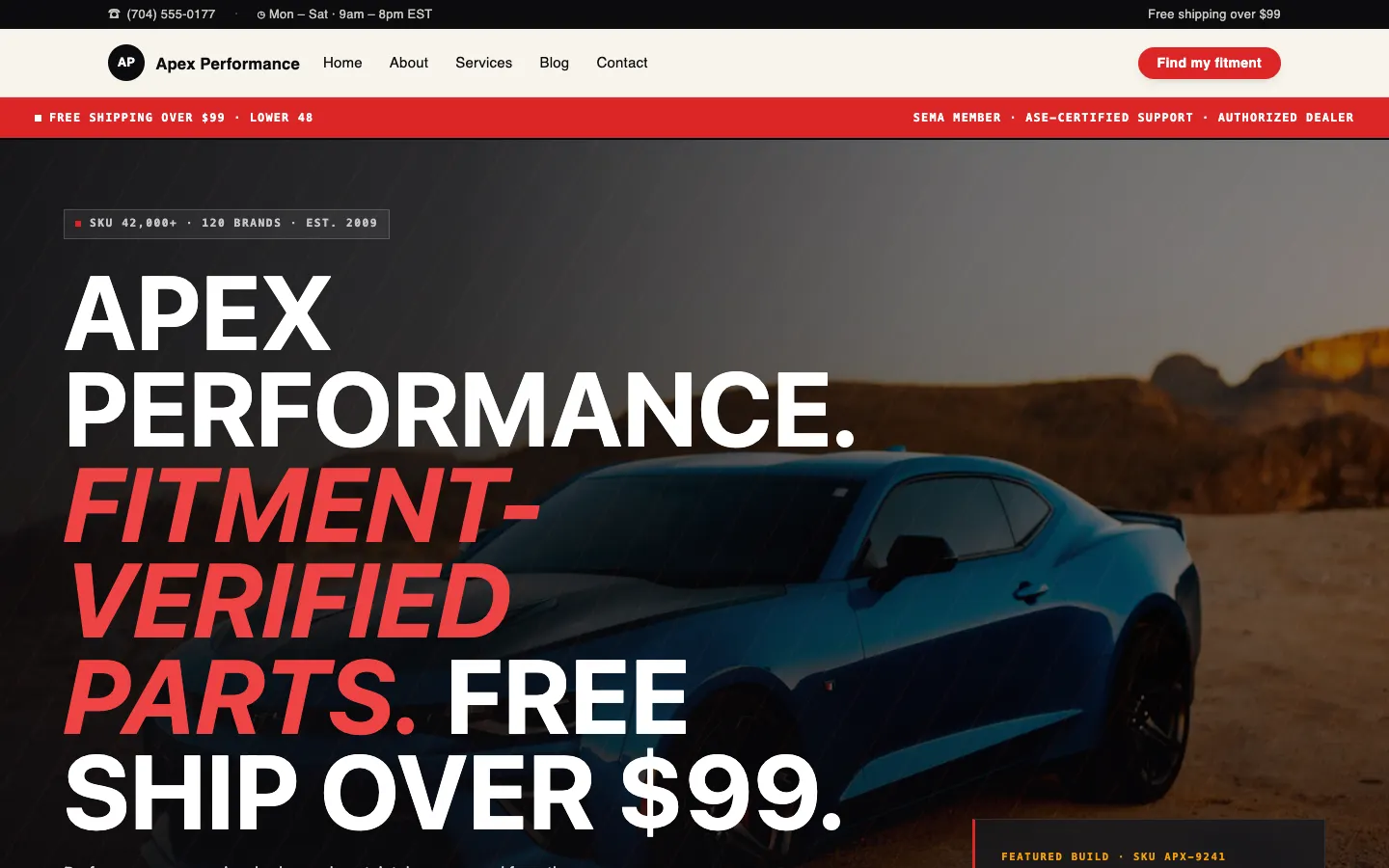
It is 1:47 PM on a Tuesday at our Charlotte warehouse and our category manager is staring down the kind of afternoon that decides whether an automotive parts e-commerce website CMS is doing its job. A new line of cat-back exhausts just landed: 47 SKUs, fitment across 12 model years, three application notes per part (clearance with lowered suspension, compatibility with aftermarket diffs, JDM-spec hanger differences), MAP pricing the supplier already revised twice since the PO was cut, and a supersession chart that replaces nine legacy part numbers. In typical WooCommerce, this is a developer ticket and a Wednesday launch. With a managed-change-request CMS, it is one ticket and parts go live before the counter closes.
This post is for aftermarket retailers, speed shops, and OEM-replacement sellers who have hit the ceiling of generic e-commerce platforms and are tired of paying a developer per SKU update or chasing a freelance shop that disappears the week a MAP compliance notice lands. It is also for the owner who has typed "performance parts website company" into a search bar at midnight and gotten back generic Shopify boilerplate that does not understand year/make/model.
Book a 20-minute walkthrough of a real fitment catalog and we will run a sample of your own SKUs through the managed-change workflow on a live demo tenant.
The catalog hell nobody warns aftermarket sellers about
Generic e-commerce advice assumes you sell shirts. A medium tee is a medium tee. In performance and aftermarket auto parts, the product is a relationship between a part number and a vehicle universe. A single cold-air intake might fit a 2015 to 2020 platform but only with the factory MAF housing, and only on California-emissions trims if you have the right CARB EO sticker. That is one product. Multiply by every line you carry.
Here is what the catalog actually contains:
- Fitment guides: year, make, model, submodel, engine code, transmission, drivetrain, trim.
- Supersession charts: the new part number that replaces two old ones, but only for post-2018 production.
- MAP pricing: the manufacturer-mandated minimum advertised price, which can change mid-week and triggers compliance emails if you miss it.
- Application notes: hardware not included, recommended pairings with forced induction setups, tune required yes/no.
- OEM cross-references: your aftermarket SKU mapped back to the OEM part number it replaces, plus competitor cross-refs.
- Media: dyno charts, install photos, and three-quarter hero shots with consistent crops.
In our experience, a single product line launch touches 40 to 120 catalog fields per SKU once you include all fitment permutations. A 50-SKU release is therefore a 2,000-to-6,000-field data entry job. WooCommerce technically lets you do this. It does not let you do it cheaply or repeatably, and a freelance dev billing per SKU edit is not a business model that survives a busy SEMA season.
What an automotive ecommerce web design agency should actually do for you
Most shops that call themselves an automotive ecommerce web design agency are three things stitched together: a Shopify theme installer, a freelance copywriter, and a hosting reseller. They hand you a PDP template, take a deposit on a redesign, and disappear when the first MAP notice hits your inbox. Workspace CMS is different. The platform team and the ticket-handling team are the same team, so fitment edits and MAP updates stop being "not really our scope" conversations.
Three concrete things distinguish this from the freelance-plus-Shopify pattern.
One: schema you do not own. Custom fields for fitment, supersession, MAP, and application notes are configured at launch and maintained by the Workspace CMS team. When the field set has to change - say the supplier starts shipping CARB documentation per SKU and you need a new compliance field on every product in three categories - you send a ticket. You do not hire a Woo developer to add an ACF group, and you do not wait for a quarterly retainer review.
Two: bulk operations as a managed service. A MAP increase is not a per-SKU edit. It is "raise the floor on these 312 part numbers by 4% effective Thursday." You attach the supplier email to the ticket. We ship the change. Same for supersession sweeps and fitment expansions to a new model year. The full feature inventory spells out which operations are bulk-capable, but in practice the answer for an aftermarket catalog is "all of them."
Three: content velocity that matches your release cadence. The catalog is half the work. The other half is install guides, dyno tests, and buyer questions that turn organic traffic into PDP views. The AI Blog Generator drafts that side - install walkthroughs, dyno write-ups, "what fits my 2019 Si" explainers - for your category team to edit rather than write from scratch.
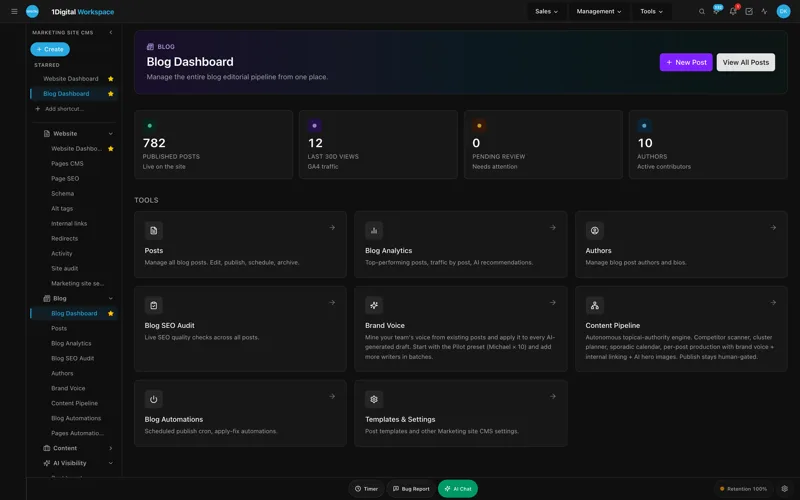
UNLIMITED MANAGED CHANGES
Send a ticket. We ship the change.
Every Workspace CMS plan includes unlimited managed CMS edits. Essentials ships in 4 business days. Growth ships in 2. Premium ships in 12-24 hours. No per-edit fees. No "open a Jira" overhead. Every MAP price revision, every new fitment year, every supersession redirect, every install-guide post - describe what you need and our team builds it on your live site.
Six features that change how a parts catalog gets run
The platform inventory is broad. Six features carry the most weight on an aftermarket build, and they are why owners searching for an automotive website designer keep ending up here after the third Shopify quote.
1. Per-Tenant Isolation for multi-brand portals
Many parts operations carry two or three brand storefronts under one corporate roof - a JDM-focused brand, a domestic muscle line, maybe a euro-tuning portal. Per-tenant isolation with white-label admin and role-based access means each storefront is its own walled environment with its own RBAC roles, its own audit log, and its own theme - while your corporate ops team sees them all in one admin shell.
2. Site Speed and Core Web Vitals for fast PDPs
Aftermarket buyers are impatient. They arrive on a PDP already half-decided, want to confirm fitment, see a dyno number, check stock, and either add to cart or bounce. Industry averages we see across our managed aftermarket sites: a one-second improvement on PDP load time correlates with roughly a 7 to 12 percent lift in add-to-cart rate, and bounce rates above 60 percent are common on PDPs slower than three seconds. Workspace CMS runs on Vercel's edge network with Lighthouse-grade scoring refreshed nightly, so a regression on the dyno-chart component is flagged before it costs you a weekend's traffic.
3. Structured Data Editor for Product and Vehicle schema
The JSON-LD editor ships Product, Offer, AggregateRating, and Vehicle schema on every SKU without touching theme files. There is a live validator that runs before publish, so the malformed Offer block that breaks rich results does not make it to production. This is the piece most teams notice first - the Rich Search Results editor deep-dive walks through how it interacts with the rest of the audit stack.
4. Automations for MAP-pricing updates and recurring sweeps
The Automations engine schedules recurring AI drafts, sweeps, and detection runs. For an aftermarket catalog that means a nightly MAP-compliance sweep, a weekly supersession audit, and a monthly alt-tag pass on newly uploaded install photos. The supplier-side MAP changes still come in as a ticket, but the detection that flags the drift in the first place is automated.
5. Redirect Manager for discontinued and superseded SKUs
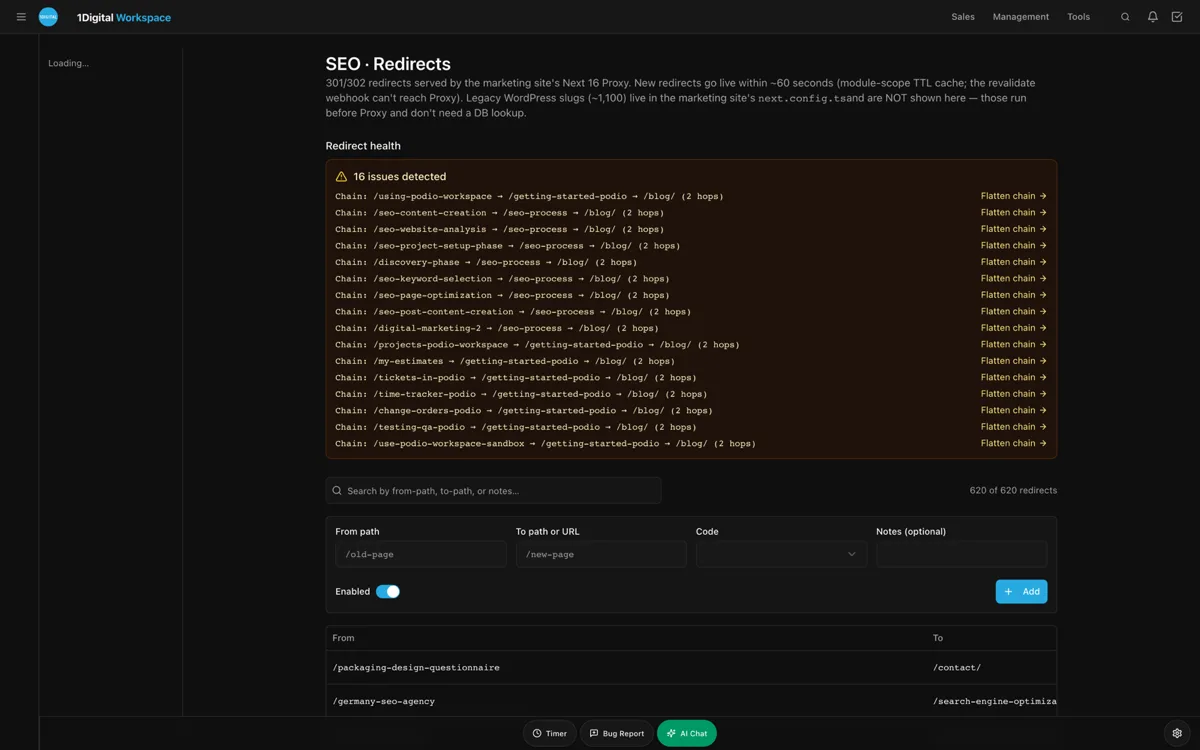
The redirect manager handles 301, 302, 307, and 308 with conflict detection and CSV import. Supersessions stack - a part gets replaced, then the replacement gets replaced - and the conflict detector flags chains so you can collapse them. Discontinued SKUs redirect to the closest live equivalent or to a category landing page, not to a 404 that costs you a buyer.
6. Analytics with GA4 and GSC unified
Traffic and ranking data on one screen. For an aftermarket operation, that means the dyno-chart page that is climbing on GSC for "K20 cold-air intake comparison" shows up alongside its GA4 add-to-cart rate, so the category team knows which install guide to expand next. The case studies gallery includes a few aftermarket builds that walk through this loop.
Plus an AI Content Audit that catches stale fitment copy
That is feature seven, and it earns its place. The AI Content Audit runs 40+ checks per page with one-click remediation - including stale model-year references in PDP copy, fitment notes that contradict the current schema, and orphaned install guides nobody has linked from the parent category in 18 months.
The pricing ladder, and which tier fits a serious parts operation
Workspace CMS comes in three tiers. For a Charlotte-sized operation with thousands of SKUs, the math usually lands on Premium. The pricing page has the full breakdown but the short version:
- Essentials at $89/month is self-managed. Unlimited managed change requests on a four-business-day SLA, the AI Blog Generator, AI Visibility Tracker with five tracked prompts, 200 AI credits, full SEO controls, and Vercel hosting with SSL and 100GB. Fits a single-bay tuner shop with under a few hundred SKUs.
- Growth at $199/month is the managed tier most teams pick. Two-business-day SLA on edits, image swaps, locations, and blog work. Same-business-day SLA on blockers. 1,000 AI credits, 15-prompt AI Visibility tracking, white-label admin, Google reviews on your site (display and reply). Reasonable for a few hundred to a thousand SKUs.
- Premium at $449/month is white-glove. 12 to 24 hour SLA on changes, 4 business-hour SLA on blockers, 2,500 AI credits, 30-prompt monthly AI Visibility tracking, daily AI Site Audit plus LLM visibility digest. This is the tier that lets a serious aftermarket operation retire the part-time data-entry role.
Premium is roughly what a competent part-time data-entry contractor costs for a single week - except it ships changes every day on a same-day SLA, the AI tooling is bundled, and the team behind the tickets is the same team that built the platform. The managed-change workflow is documented in detail if you want to see how a ticket moves from your inbox to a live PDP.
SEO, AEO, and how a performance parts website company gets cited
Aftermarket buyers search in three modes now, not two. Mode one is the long-tail vehicle query: "best cat-back for 10th gen Civic Si." Mode two is the part-number query: they have a competitor SKU in hand and want to know if you carry a cross-reference. Mode three is the LLM query: they ask ChatGPT or Perplexity for a recommendation, and the answer either includes your storefront or it does not. A serious performance parts website company has to win all three.
Workspace CMS handles them because the SEO stack is built in rather than bolted on. Page-level SEO control covers meta, OG, canonical, and robots per template. The Site Audit runs 40+ checks per page with one-click remediation. The Alt-Tag Sweep handles the install-photo backlog at scale. The sitemap, robots.txt, and llms.txt are auto-regenerated on every publish, so the LLM crawlers see a current map of your catalog rather than a six-month-old snapshot.
The AI Visibility Tracker monitors how your catalog shows up across ChatGPT, Claude, Perplexity, and Gemini for the prompts that matter - "recommend a cat-back for a 2018 WRX," "best coilovers for a 10th gen Civic Si daily," "is brand X CARB legal in California" - with weekly digests that flag drift. If your storefront stopped getting cited last week, you know about it this week, not next quarter.
Why aftermarket marketing agencies keep getting fired
The owner who searches for "automotive aftermarket marketing agency" is usually on agency number three. The pattern: hire a generalist Shopify shop, get a theme, discover nobody on the agency side wants to do the data work. Fitment updates get punted. MAP compliance gets punted. The blog goes silent after the launch retainer ends.
The fix is not a better agency - it is an agency whose product is the CMS itself. A walk through the live demo gallery shows the same managed-change pattern applied to HVAC, dental, real estate, and CBD operations - different catalog data, identical workflow.
Schedule a strategy call if you want to talk through where your current agency relationship is breaking down and what a managed-CMS replacement would look like for your specific catalog.
Automotive Parts E-commerce Website CMS for Fitment at Scale FAQ
Can Workspace CMS handle year/make/model selectors and fitment lookup?
Yes. Fitment is a first-class data model, not a plugin afterthought. The YMM selector queries an indexed fitment table that lives alongside your catalog, so a buyer on a 2018 WRX sees only parts that fit, with application notes displayed inline on the PDP.
How are MAP price changes handled when the manufacturer revises mid-week?
Send a ticket with the supplier notice attached. On Premium the MAP update ships within the 12 to 24 hour SLA, or the same-business-day blocker SLA if the manufacturer flagged it as a compliance issue. You are not editing 312 product records by hand, and the Automations engine flags any SKU that drifts back out of compliance after the fact.
What happens to old URLs when a part number is superseded?
The redirect manager creates a 301 from the old slug to the new one and the conflict detector flags any redirect chains so you can collapse them. Supersession metadata is also exposed on the new PDP so the buyer searching the legacy part number understands what replaced it.
Does the AI Blog Generator actually know automotive content?
It drafts. The drafts are good enough to edit rather than write from scratch - install walkthroughs, dyno test summaries, buying guides for forced induction setups, suspension comparisons. Your category team is still the technical reviewer; you are not auto-publishing AI slop on a parts site where wrong fitment data costs real money.
How fast can we launch?
Most clients launch in 2 weeks. For a catalog import of any size we scope the data migration up front - fitment, supersession, and media - and the build happens in parallel.
The afternoon, redone
Back to the 47 SKUs and the Tuesday afternoon. On Workspace CMS, the category manager uploads the supplier data sheet, fitment CSV, and photo set into a single ticket, flags MAP and supersession changes, and goes back to the buyer waiting on a quote since lunch. The parts go live before close. Nobody touches a Woo plugin. The team spends Wednesday writing the install guide instead of debugging the PDP template. Get a walkthrough with your own SKU sample and we will show you what the same launch looks like using a slice of your real catalog data.